Flare Relay connects the desktop support app to HaloPSA. Staff and MSP clients submit incidents or service requests; Relay handles delivery and keeps the Halo connection in the workspace.
Configure the ticket types and categories your support team uses. Relay matches requesters to Halo contacts and creates the ticket with the request details. Halo credentials stay in Relay rather than on user computers.
Keep diagnostic evidence with the ticket
Diagnostic flares arrive with a private HTML report and any included screenshots embedded. Checks vary by Windows or Mac and available permissions. Service requests arrive as notes without diagnostic evidence.
Confirm delivery and recover failures
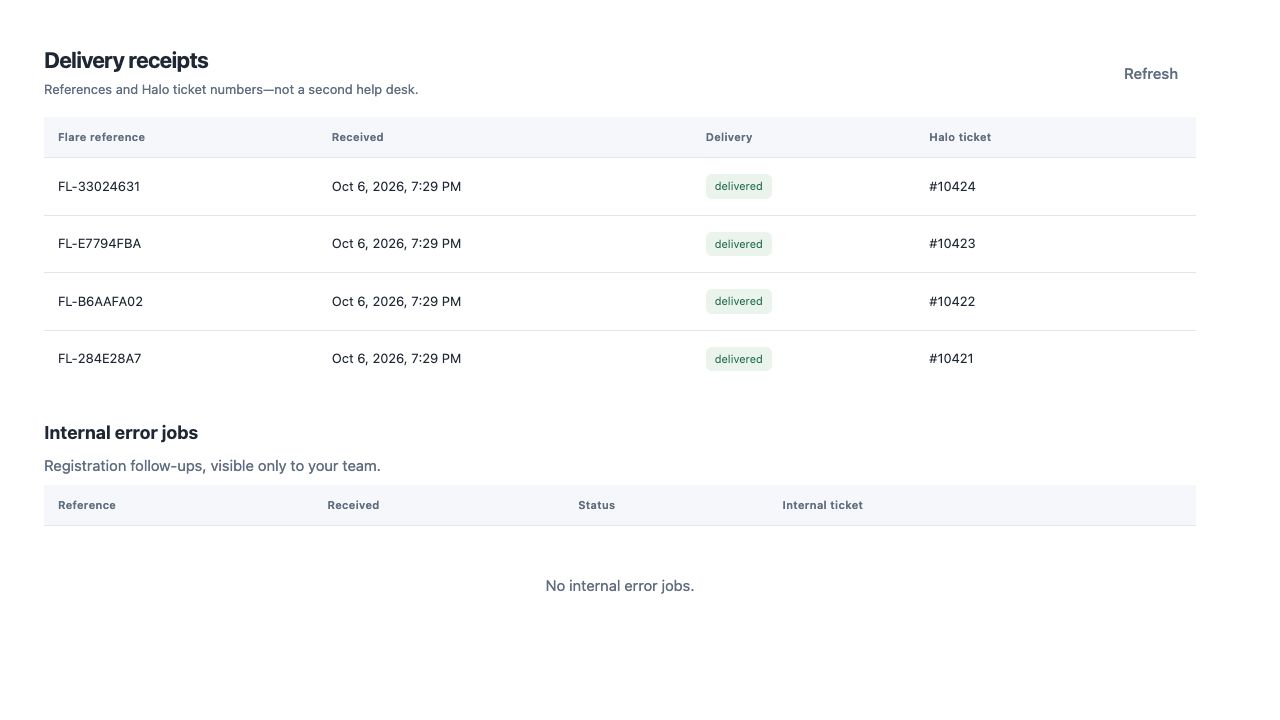
Relay records request delivery status and the Halo ticket reference. Your team can retry failed delivery. Once delivery is confirmed, diagnostic content is removed from Relay and the receipt remains.
Update triage and contact details after sending
Users can choose optional Impact and Urgency from the choices configured in Halo. A callback number updates their Halo contact’s Work Mobile Number and preferred contact method. The request is already sent; these details are optional.
Catch workstations missing from Halo
Enable missing-device alerts in Relay to create an internal alert ticket when a device cannot be found in Halo. Your support team can investigate the missing workstation and address it internally.
Using another ticket system?
Halo delivery is built in. If your team uses another ticket system, request a no-cost integration through the contact form. Tell us which system you use and how you want requests delivered.