Flare gives users across your client companies a quick way to submit support tickets from their desktop. Your help desk gets the requester, computer details, and useful diagnostic clues in the same workflow.
Users open Flare with F9 on Windows or Control–Option–F or the menu bar on Mac, select an issue, and describe the problem. Diagnostic flares include a private report in Halo. Service requests send the written details without diagnostics.
Keep the requester and device connected
Relay matches the requester through their Halo contact and brings device details into the ticket. Technicians can start with who needs help, which computer is affected, and the evidence available for that request.
See delivery and handle exceptions
Relay shows delivery receipts and Halo ticket references. Failed delivery can be retried. If a workstation is not found in Halo, an enabled missing-device alert can create an internal ticket so your team can address the inventory gap.
Manage the installed fleet
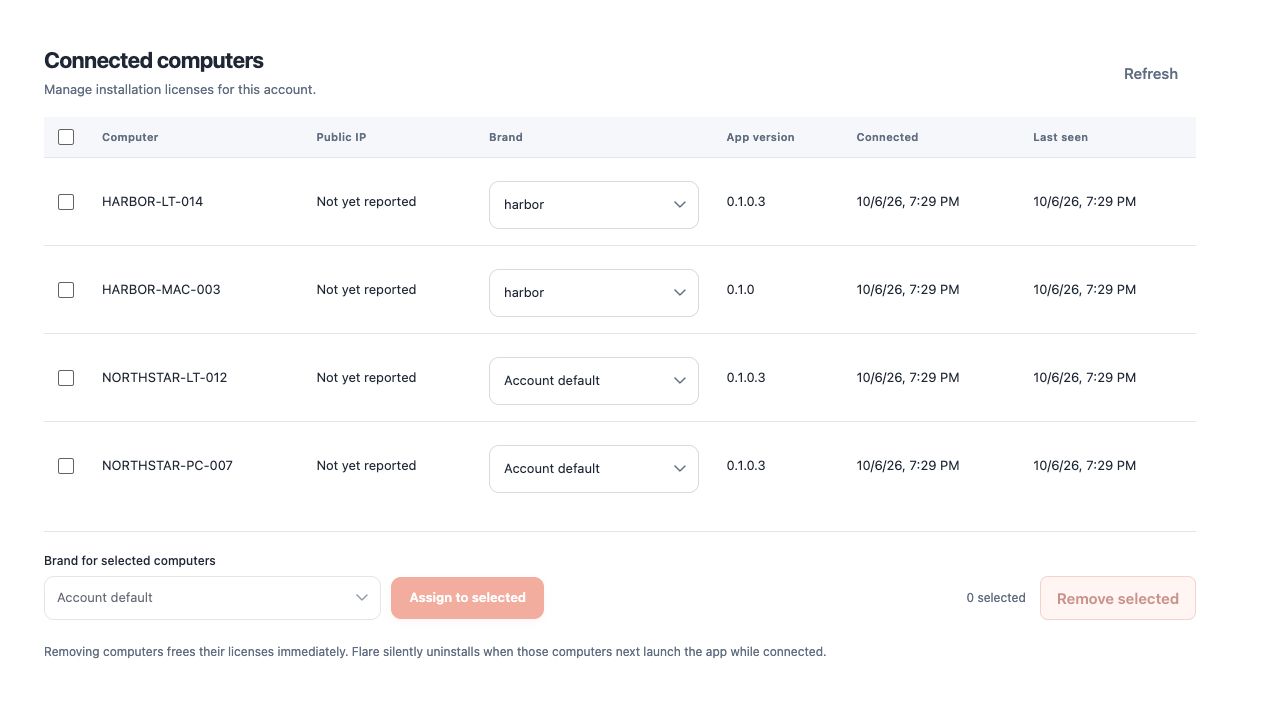
See connected computer names, app versions, and check-ins. Manage installation licenses and deploy Windows and Mac apps through your RMM or MDM using the installation key and commands in Relay.
Keep your support company in front of users
White-label the app with your MSP name, logo, and support contacts. Separate client profiles let the experience fit the companies you support while ticket submission and diagnostics remain the core workflow.
Give triage a better starting point
After sending, users can add optional Impact and Urgency to the Halo ticket and provide a callback number on their Halo contact. Your technicians have more context before the first conversation.